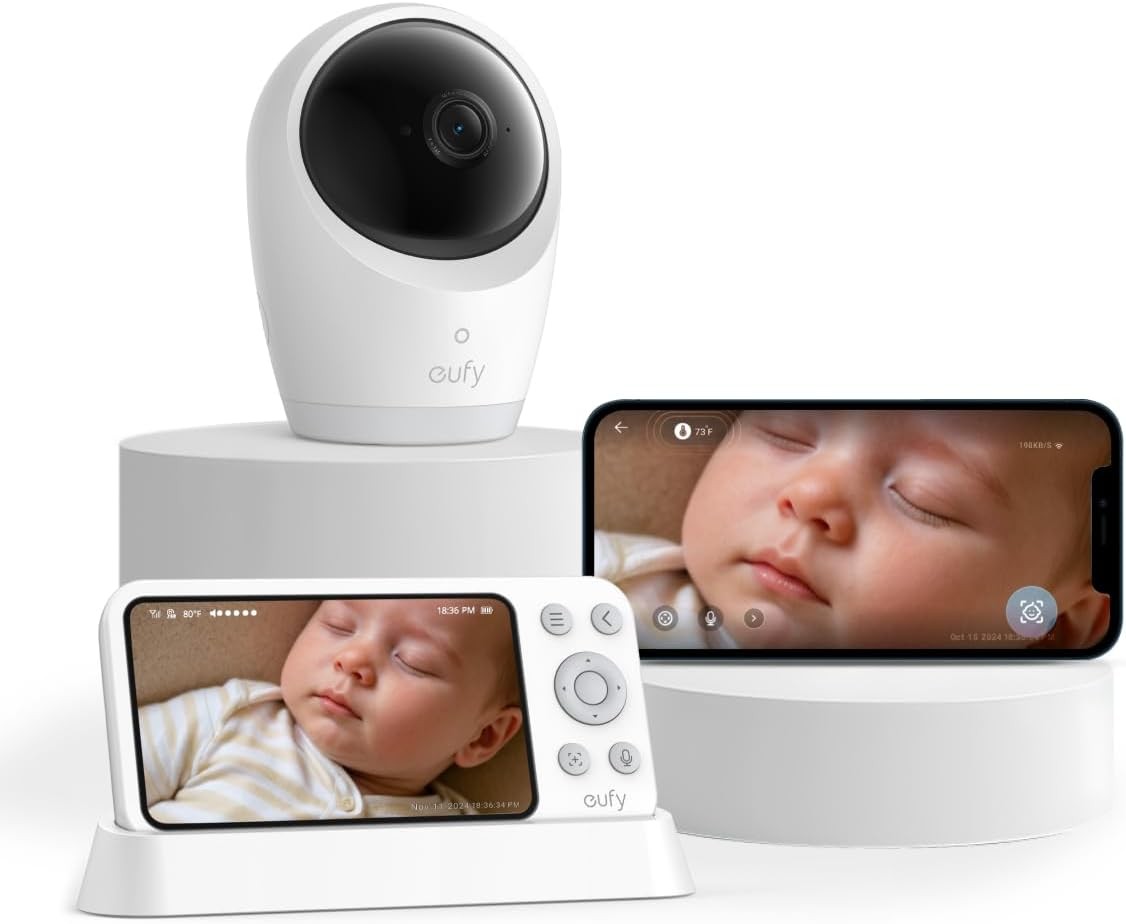

Photos from current listings. Actual item, color, and included accessories may vary.
Eufy Baby Monitor Buying Guide
Eufy baby monitors are a family of dedicated, closed-loop video systems that trade Wi-Fi app reliance for a private 2.4 GHz FHSS link between camera and parent unit. The core decision is between the local-only SpaceView series (no internet, no subscription) and the Wi-Fi-enabled S-series (remote viewing, microSD/NVR storage). Choose SpaceView for zero-cloud privacy and instant plug-and-play; choose Wi-Fi only if you truly need remote phone access.
At a glance
- Category
- Baby Monitoring & Safety
- Last updated
- Nov 21, 2026
Current offers
Highlights
- SpaceView models use a dedicated 2.4 GHz FHSS point-to-point link with no router, cloud, or app required, eliminating account breaches and internet outages as failure modes.
- Camera resolution tiers separate the line: 1080p SpaceView Pro/E210 versus 2K/4K Wi-Fi models like E21, where 4K only benefits recorded detail, not the 720p parent display.
- Parent units range from 5-inch 720p panels (E21, E210) to 5-inch 1080p (SpaceView Pro), and battery runtime is typically 12-24 hours in power-saving mode versus 4-8 hours with the screen always on.
- All current eufy baby monitors use 2.4 GHz Wi-Fi or FHSS only—5 GHz routers are not supported—and local storage relies on microSD (up to 128 GB) or the HomeBase NVR rather than a subscription.
Best use cases
- Best fit: SpaceView Pro or E210 for parents who want a private, no-subscription monitor with a dedicated parent unit and no phone dependency—skip Wi-Fi models if you never need remote viewing.
- Best fit: E21 4K Wi-Fi for households that need remote phone check-ins and sharp recorded evidence, accepting router dependence and 2.4 GHz-only setup.
- Wrong fit: multi-camera households expecting unlimited free cloud clips—eufy uses local microSD/NVR storage, so buy a high-endurance card and plan capacity math.
- Wrong fit: large multi-story homes with thick masonry walls—FHSS range is line-of-sight dependent, so add a second camera or mesh node rather than expecting whole-house coverage.
Buying tips
- Pick 1080p for the parent display's actual resolution; 2K/4K cameras only pay off if you review recorded footage or zoom digitally, since a 720p screen cannot show more detail live.
- Confirm 2.4 GHz-only Wi-Fi: eufy cameras will not join 5 GHz SSIDs, so enable a 2.4 GHz band or guest network before setup or the pairing will fail.
- Size microSD storage at roughly 1 GB per hour per camera at 1080p; a 128 GB high-endurance card yields about 5 days of continuous loop recording.
- For twins or two rooms, budget a multi-camera kit or add-on camera rather than two separate systems—eufy parent units support splitting across paired cameras.
Specs
| Connectivity | 2.4 GHz FHSS (local) vs Wi-Fi |
|---|---|
| Camera Resolution | 1080p vs 2K vs 4K UHD |
| Parent Display | 5 in / 720p vs 1080p |
| Storage | microSD up to 128 GB / HomeBase |
Related searches
What to check before buying
- Measure the crib-to-parent-unit distance and count interior walls; FHSS range drops sharply through masonry, so verify line-of-sight or plan a repeater placement.
- Confirm your router broadcasts a 2.4 GHz band (or can enable one) before buying any Wi-Fi E21/S-series model—5 GHz-only setups will not pair.
- Check the parent unit's charge time and whether it uses USB-C or a proprietary barrel jack, and confirm you have an outlet near the crib for the camera.
- Verify the camera mount type (wall plate vs. shelf stand) and that your crib or wall placement keeps the cord at least 3 feet from the crib per safe-sleep cord guidelines.
FAQ
Data sources: eBay / Amazon listings and product attribute feeds. Updated Nov 21, 2026.
Some links on this page are affiliate links. If you buy after clicking one, we may earn a commission at no extra cost to you. This does not change which products appear here or their order. Affiliate disclosure.